Takeover of the MiniLab!
It’s been some time since I’ve reviewed my home lab (and blog…) for updates. Since this latest update ended up being a complete overhaul of my home lab, I felt it significant to blog about (and document!). Over the last couple of months I’ve bought, sold, upgraded, streamlined, pretty much everything in my lab and I’ve jumped on the minilab bandwagon as a result.
Phase 1: 3D Printing
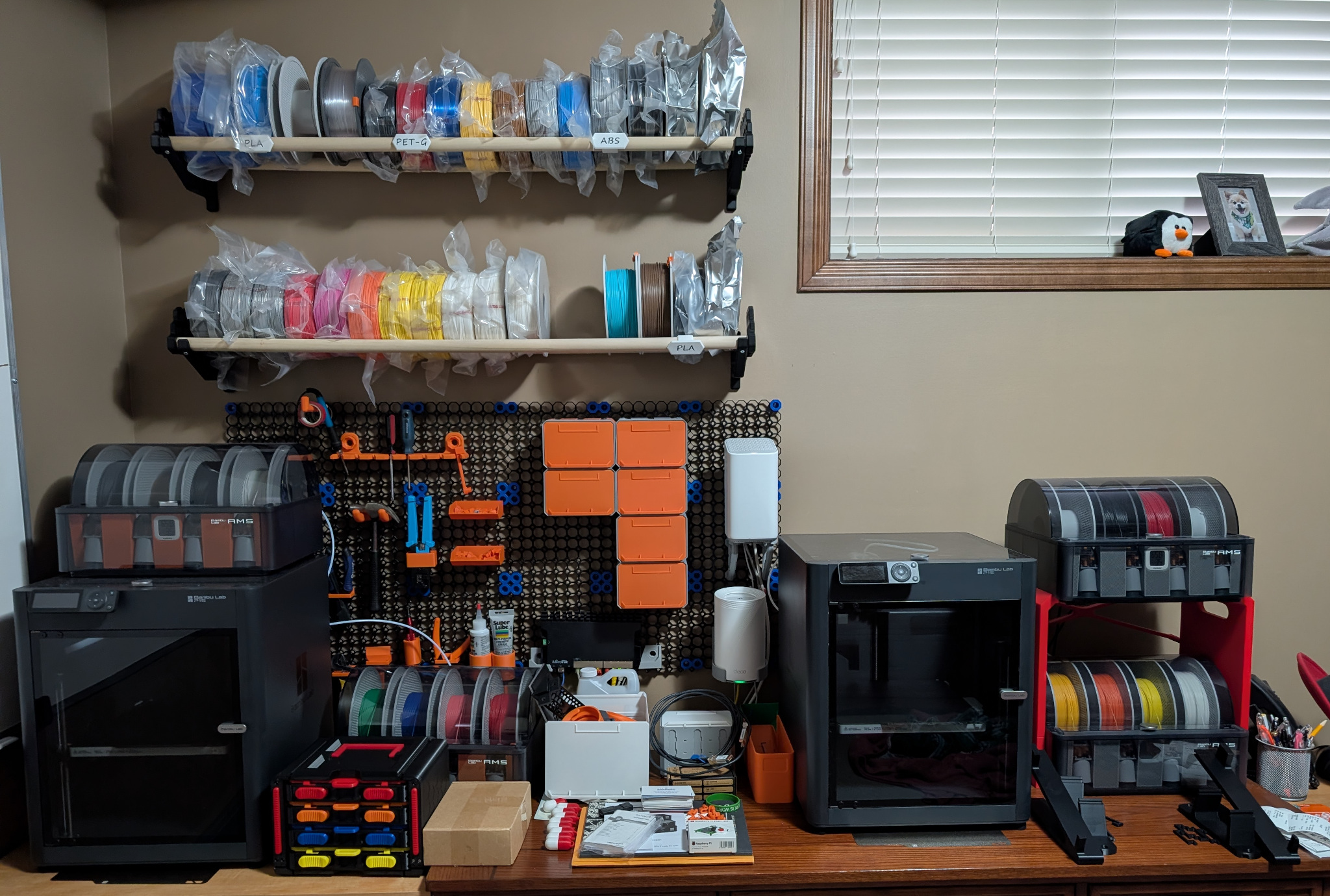
- 2 x BambuLab P1S 3d Printers w/ 4 x AMS
Early 2025 I joined the 3D printing commmunity with a couple of P1S’s. It’s been awesome learning to use these and it paved the way to be able to print the minilab.
- I’ve upgraded my physical servers from a variety of HP DL360 G7/G8/G9s to 4 x HP DL360 G9s.
- 2 x Tower PCs sold/gone
- Consolidation of containers (from Fedora CoreOS) and VMs (RHEV/KVM) into OpenShift Virt
- Core pieces moved into a minilab
All of this takes up less footprint, costs me less money, and greatly simplifies & standaridizes. It also was pretty much a wash in expenses when accounting for selling my previous equipment.
Phase 2: Takeover of the MiniLab!
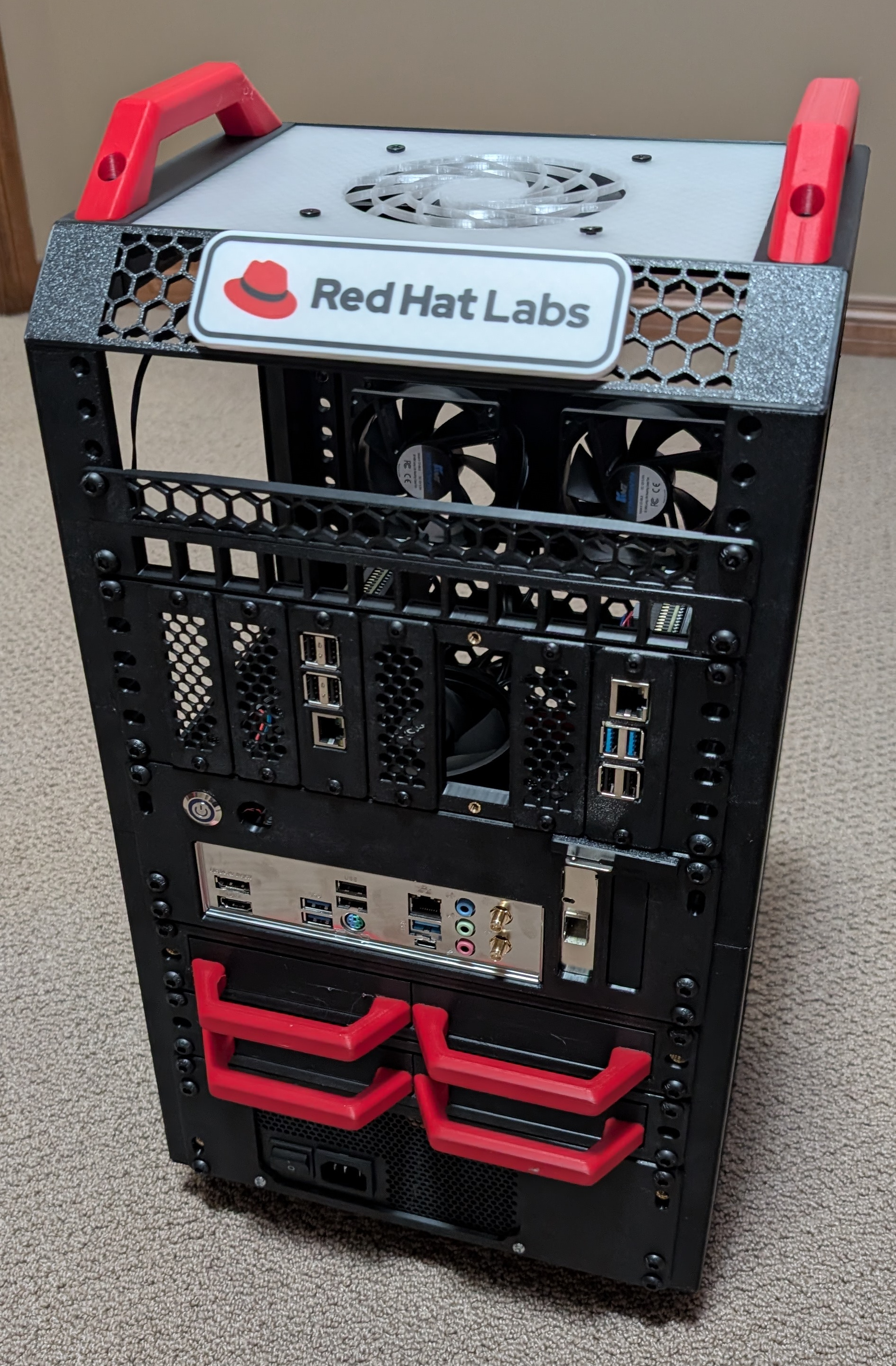
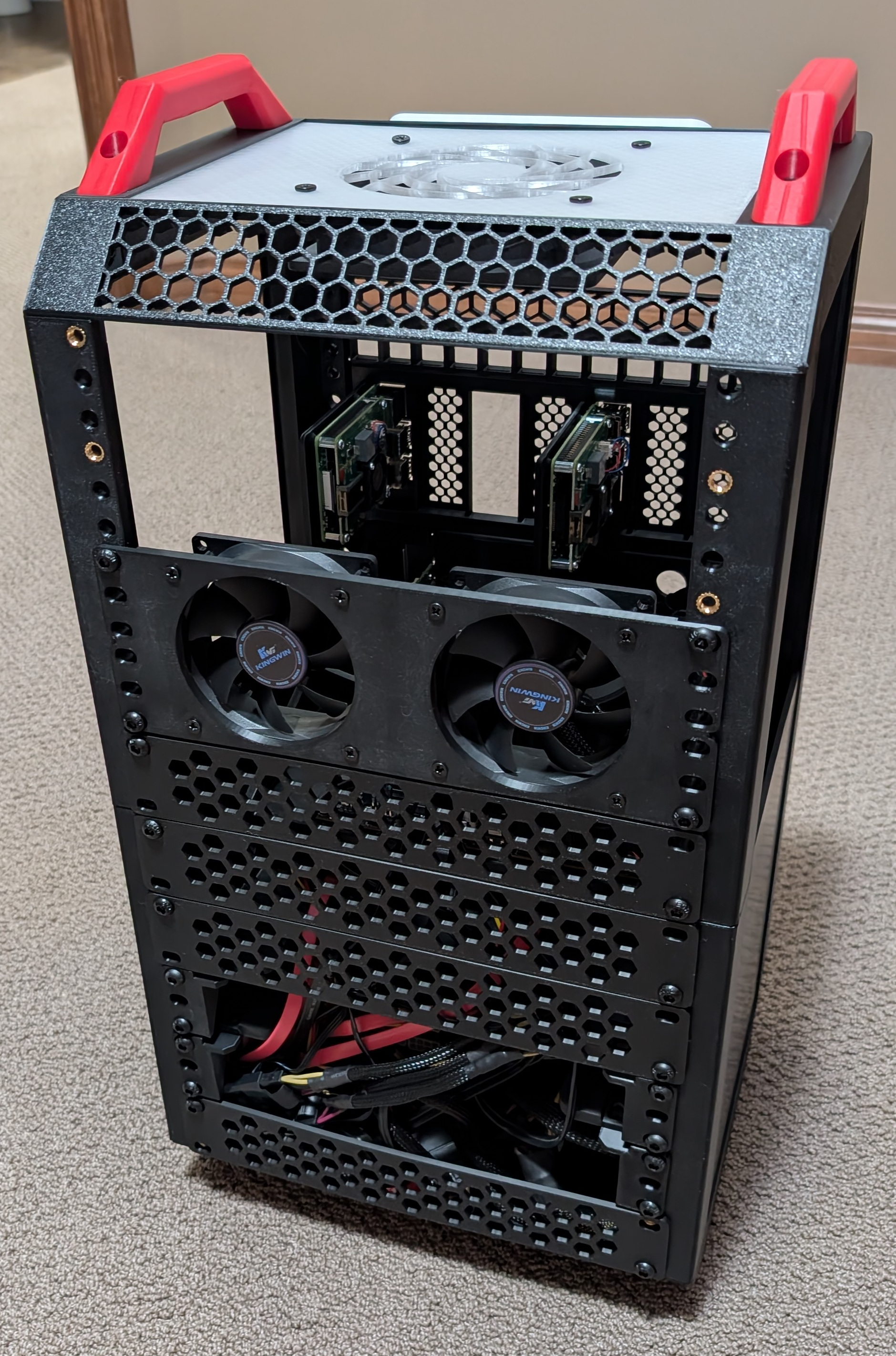
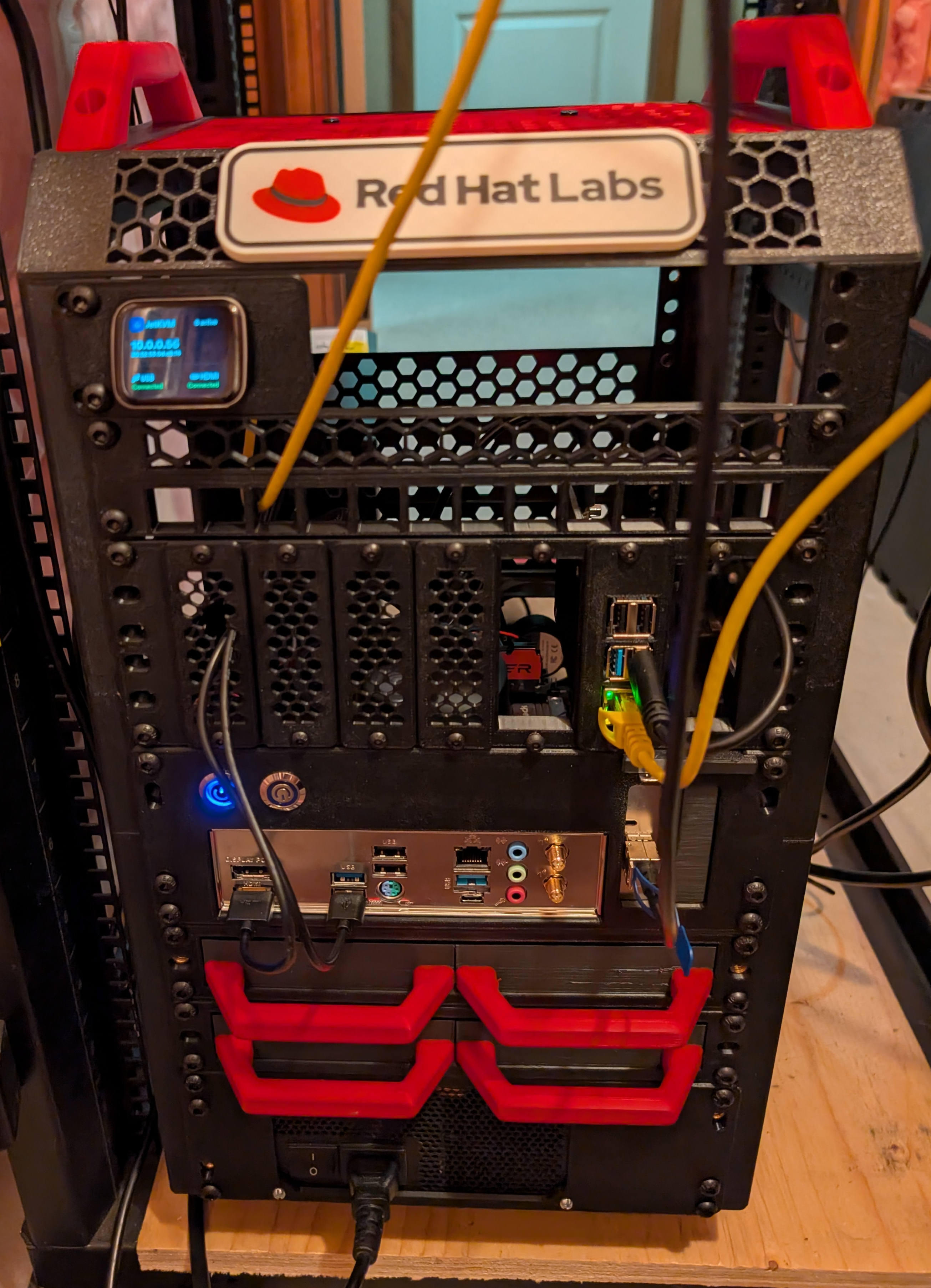
I’m using the Lab Rax system. Outlined below are all the panels and components:
3D Printed Parts:
- Lab Rax 10" 5U Base Rack
- Lab Rax Extension Panels
- Lab Rax Interchangeable Sign Holder
- Lab Rax Interchangeable Sign Maker
- Lab Rax Top/Bottom Panel, Hex Pattern
- 2U Two 80mm Cooling Fan
- Vent Panels
- 10" Rack Mount Panel ATX PSU
- 2 x 1U Two 3.5" Drive Rack for 10" Rack
- 10" Rack Mount MiniITX Board
- 2U 7 SBC Holder for 10" Rack
- 1/2U 12 Port Keystone Panel for 10" Rack
- 1/2U Ventilation Panel for 10" Rack
- JetKVM Friction Fit 1U Rack Mount
- Logo Pins - Pihole, ProxMox, etc.
Components:
- 1000 Watt ATX PSU
- ASRock B550 ITX Motherboard
- AMD Ryzen 5 5600GT
- 32GB DDR4 RAM
- 512GB Samsung 980 Pro NVMe
- Mellanox CX-3 10G NIC
- 4 x Western Digital 6TB Red NAS Drives
- 1 Raspberry Pi 4B 8GB, w/ PoE Hat, 256GB Samsung Evo SSD
- 2 x 120mm case fans
- 2 x 80mm case fans
- 1 x JetKVM
- The ITX system is a Fedora Server based media server which runs containerized Jellyfin & a generic NFS backup/archive.
- The Raspberry Pi 4 runs Fedora Server with PiHole DNS caching and cloudflared.
- JetKVM brings OOB management to the ITX system.
- Two additional RPIs are being added for air quality monitoring, and a dashboard.
This first Lab Rax system was a lot of fun to build and allowed me to prototype what I ultimately want to do - which is - bring a very small hardware footprint AI/Automation solution into a customer site for custom demos & solutioning. Ideally I’d like to plug in power, maybe networking, and have everything else self-contained in the minilab system.